
This quick step guide will show you how to troubleshoot the issue of Outlook prompting for credentials.
Outlook Profile Recreation
- Navigate to control panel > Mail > Show Profiles > Add.
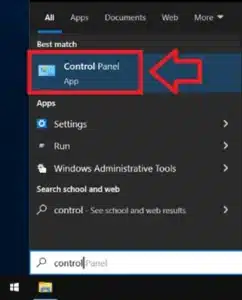
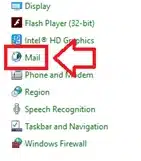
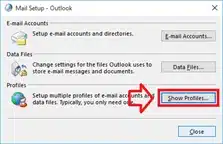
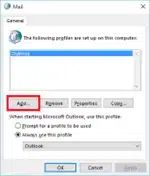
- Create a name to distinguish the new from old profile.
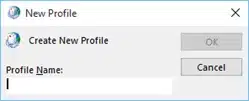
- Type in account details if it does not auto populate.
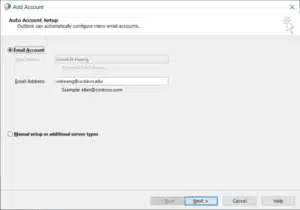
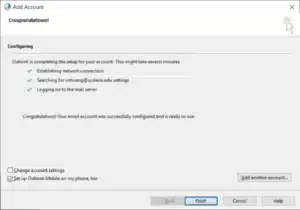
- Untick mobile app option and finish.
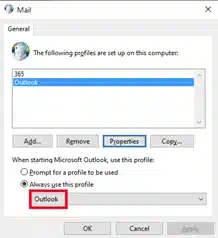
- Change always sign using profile to new profile and see if this resolves sign in issues. If it does, then the old profile is probably corrupted.
Outlook Force Recovery
- Open command Prompt as admin
- In Command Prompt, type “dsregcmd/forcerecovery” (this will get the device to re-register on Azure)
- Sign out of your windows account and sign back in
- Open Outlook and sign in once to see if this resolves your issue.
If you encounter any issues, please contact Computer Care Support for assistance.